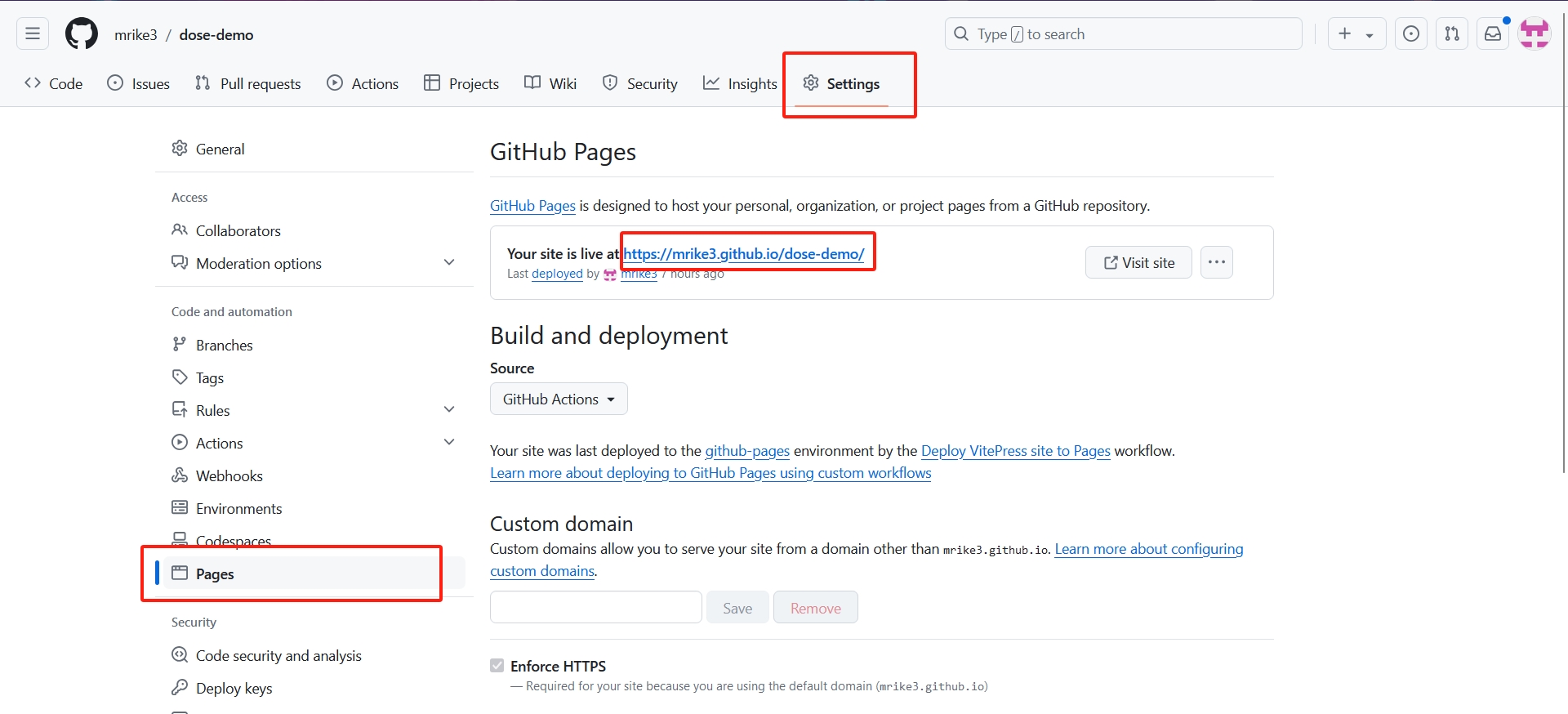
GitHub部署
大约 3 分钟
GitHub部署
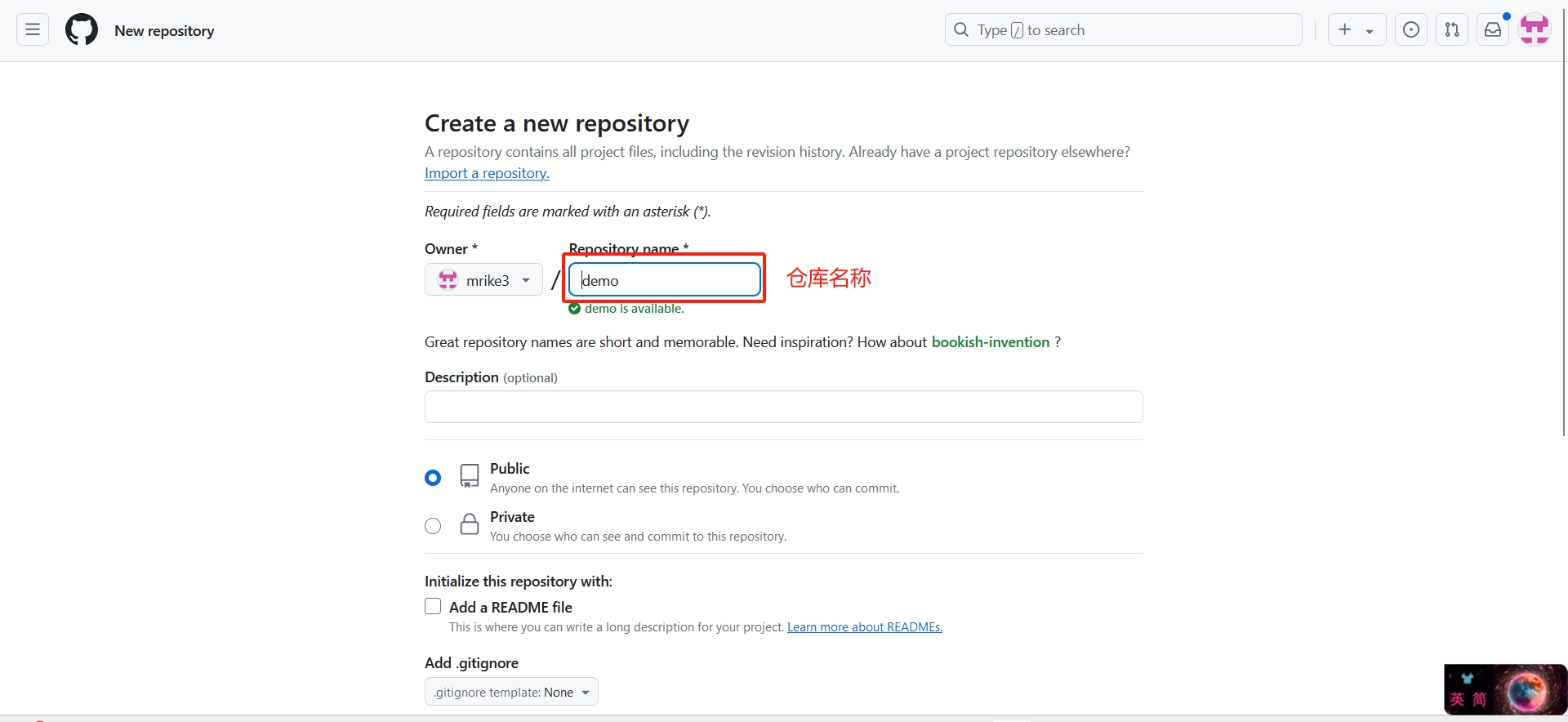
- 没有GitHub的注册一个账户,在GitHub上新建一个自己的仓库,起一个仓库名称,直接创建
- 在项目中的
.vitepress/config.mjs中配置base
export default defineConfig({
    base:'/demo/',//demo为仓库名
})- 在项目根目录打开终端输入以下命令初始化git仓库
注意
需首先安装git,并配置环境变量。
git init- 设置一下提交的用户名称和邮箱
git config --global user.name "your name"git config --global user.email "your email"- 提交的文件,.为当前目录全部文件提交,.可以替换为文件名
git add .注意
清除git暂存区
git reset
- 创建第一次提交
git commit -m "first commit"- 添加远程仓库地址到本地
- 删除现有仓库
git remote rm origin注意
之前有添加过仓库的,与现在仓库不同的需要执行删除现有仓库
- 添加自己的远程仓库
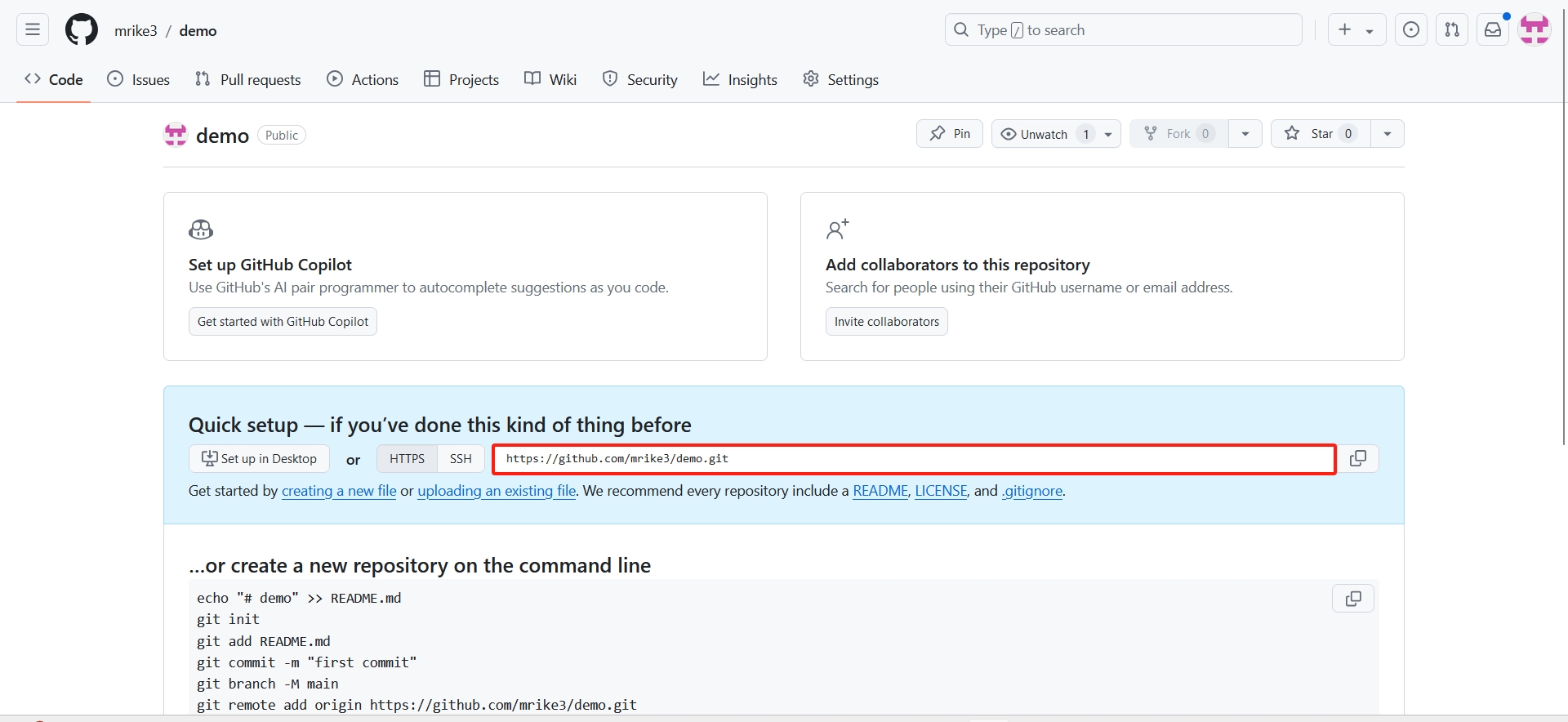
git remote add origin https://github.com/mrike3/demo.git- 关闭 Git 对 HTTP/HTTPS 连接的 SSL 验证
git config --global http.sslVerify false- 推送项目到github
git push -u origin master提交出现这种情况
To https://github.com/mrike3/demo.git ! [rejected] master -> master (fetch first) error: failed to push some refs to 'https://github.com/mrike3/demo.git'
hint: Updates were rejected because the remote contains work that you do not
hint: have locally. This is usually caused by another repository pushing to
hint: the same ref. If you want to integrate the remote changes, use
hint: 'git pull' before pushing again.
hint: See the 'Note about fast-forwards' in 'git push --help' for details.
可以使用强行提交
git push -f origin master:master- 打开 Git 对 HTTP/HTTPS 连接的 SSL 验证
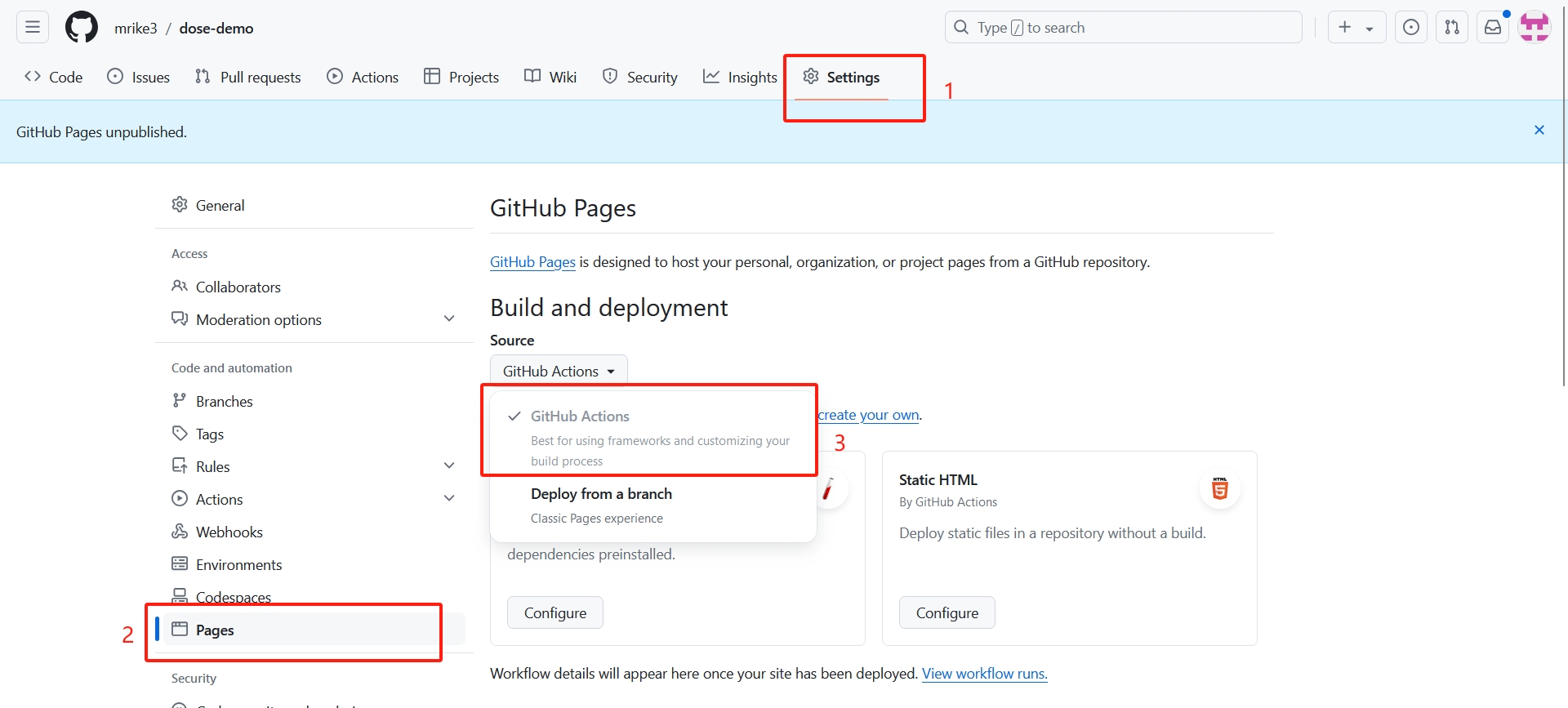
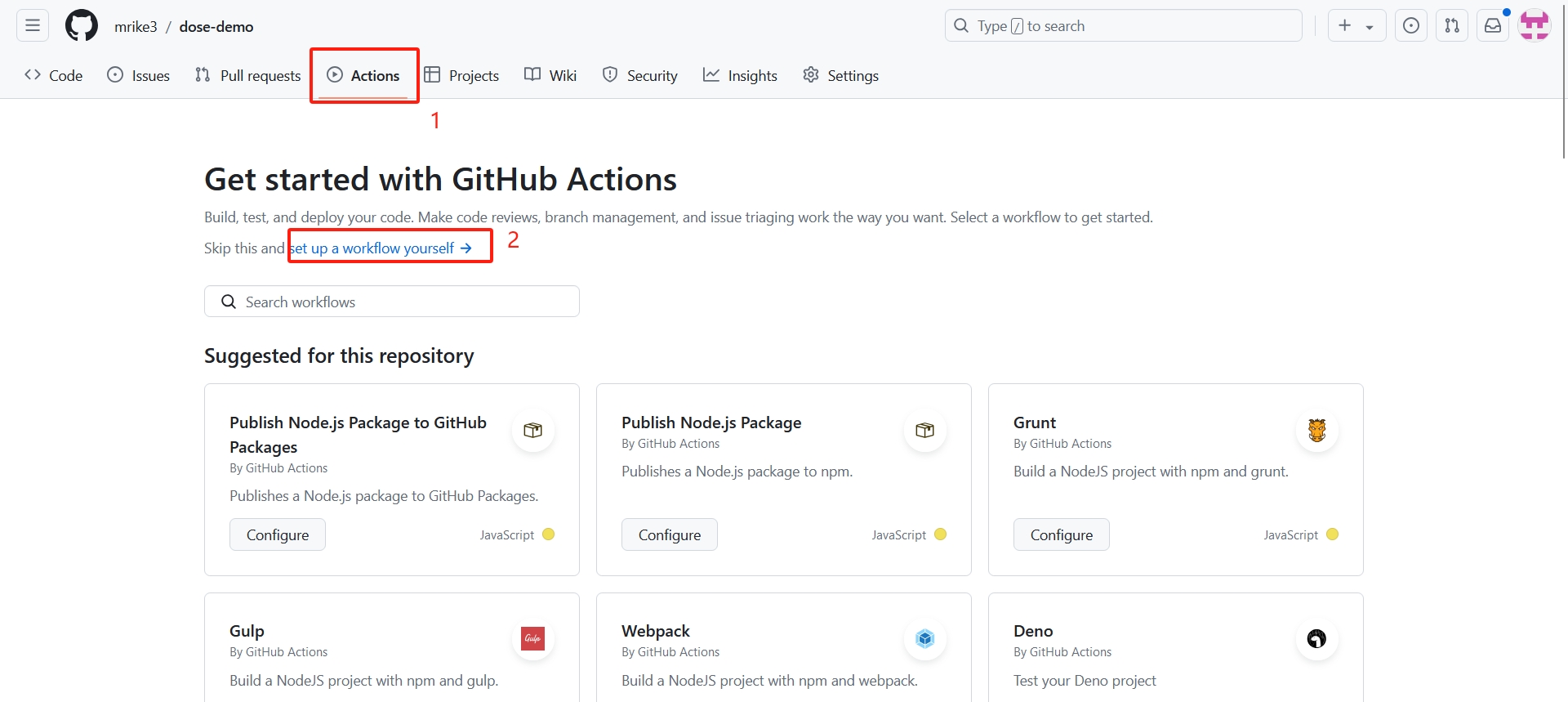
git config --global http.sslVerify true- 选择github actions
- 设置工作流
- 重命名并设置deploy脚本
需要将代码中高亮部分进行更改,branches更改为你仓库中的分支名称,path更改成你仓库中.vitepress/dist这个目录的路径
# 构建 VitePress 站点并将其部署到 GitHub Pages 的示例工作流程
#
name: Deploy VitePress site to Pages
on:
# 在针对 `main` 分支的推送上运行。如果你
# 使用 `master` 分支作为默认分支,请将其更改为 `master`
push:
branches: [master] // [!code --]
# 允许你从 Actions 选项卡手动运行此工作流程
workflow_dispatch:
# 设置 GITHUB_TOKEN 的权限,以允许部署到 GitHub Pages
permissions:
contents: read
pages: write
id-token: write
# 只允许同时进行一次部署,跳过正在运行和最新队列之间的运行队列
# 但是,不要取消正在进行的运行,因为我们希望允许这些生产部署完成
concurrency:
group: pages
cancel-in-progress: false
jobs:
# 构建工作
build:
runs-on: ubuntu-latest
steps:
- name: Checkout
uses: actions/checkout@v4
with:
fetch-depth: 0 # 如果未启用 lastUpdated,则不需要
# - uses: pnpm/action-setup@v3 # 如果使用 pnpm,请取消注释
# - uses: oven-sh/setup-bun@v1 # 如果使用 Bun,请取消注释
- name: Setup Node
uses: actions/setup-node@v4
with:
node-version: 20
cache: npm # 或 pnpm / yarn
- name: Setup Pages
uses: actions/configure-pages@v4
- name: Install dependencies
run: npm ci # 或 pnpm install / yarn install / bun install
- name: Build with VitePress
run: npm run docs:build # 或 pnpm docs:build / yarn docs:build / bun run docs:build
- name: Upload artifact
uses: actions/upload-pages-artifact@v3
with:
path: .vitepress/dist // [!code ++]
# 部署工作
deploy:
environment:
name: github-pages
url: ${{ steps.deployment.outputs.page_url }}
needs: build
runs-on: ubuntu-latest
name: Deploy
steps:
- name: Deploy to GitHub Pages
id: deployment
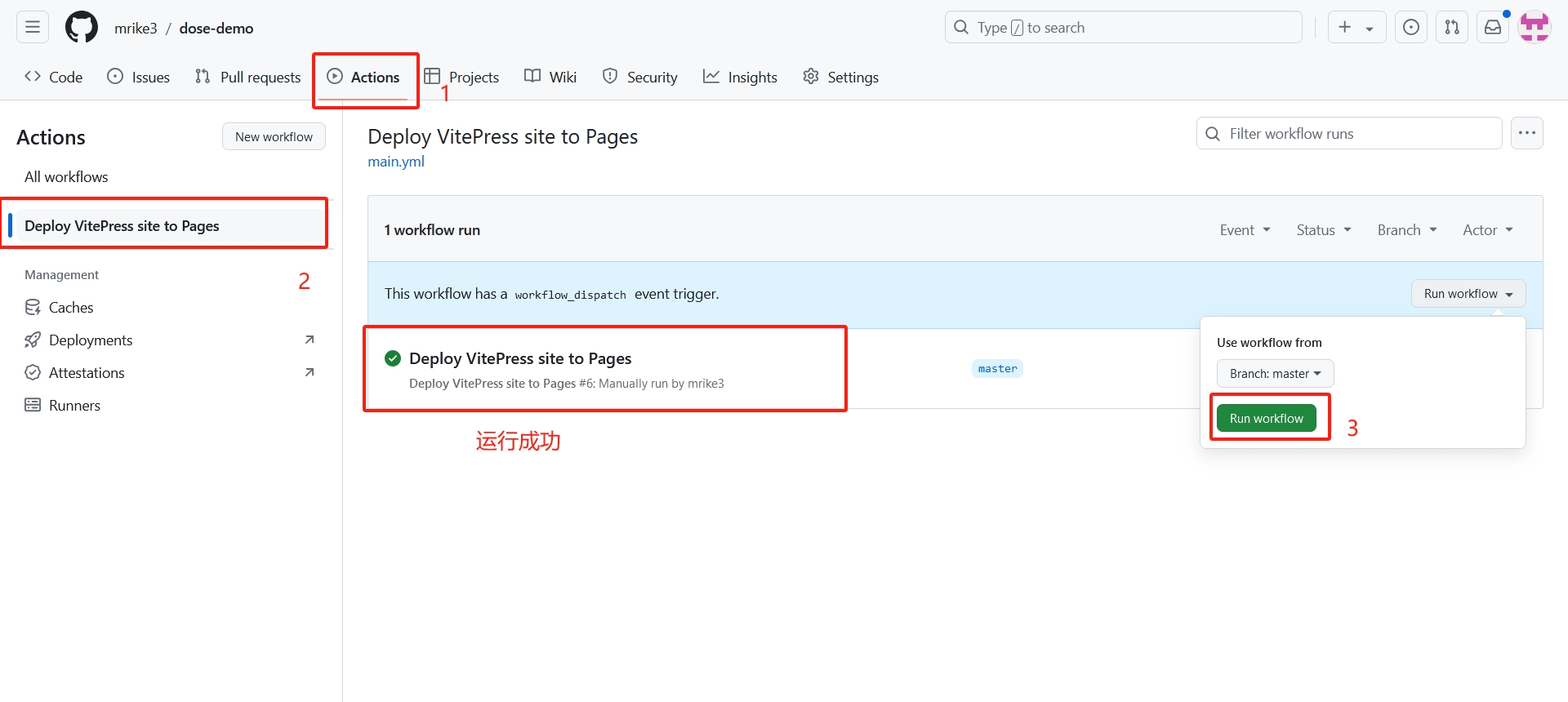
uses: actions/deploy-pages@v4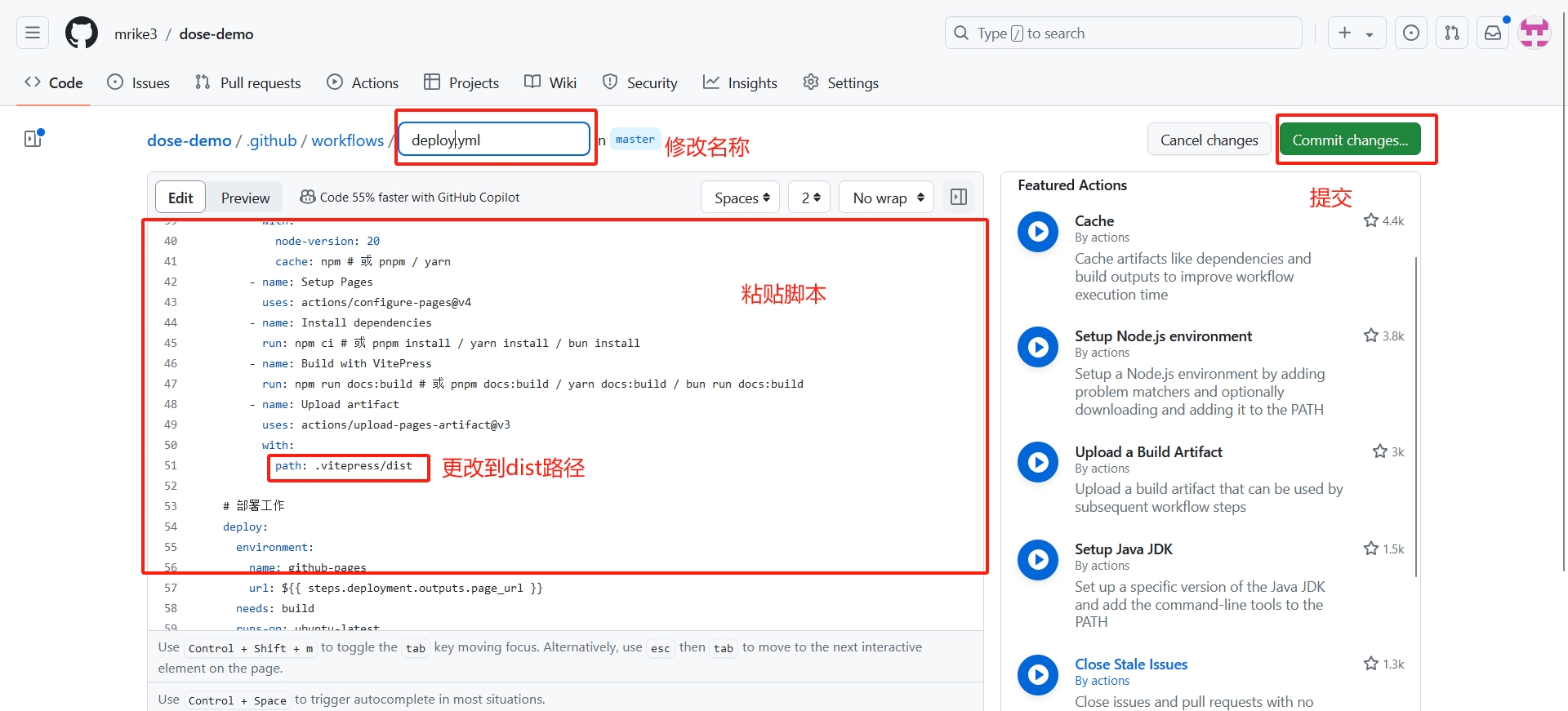 14. 运行脚本
  15. 查看网站地址