
前置准备
- Node.js18及以上版本
- 通过命令行界面 (CLI) 访问 VitePress 的终端。
- 支持 Markdown 语法的编辑器,推荐VsCode。(我使用的是IntelliJ IDEA)
安装VitePress
首先创建文件夹,在文件夹中打开cmd窗口
小于 1 分钟
首先创建文件夹,在文件夹中打开cmd窗口
运行后的页面
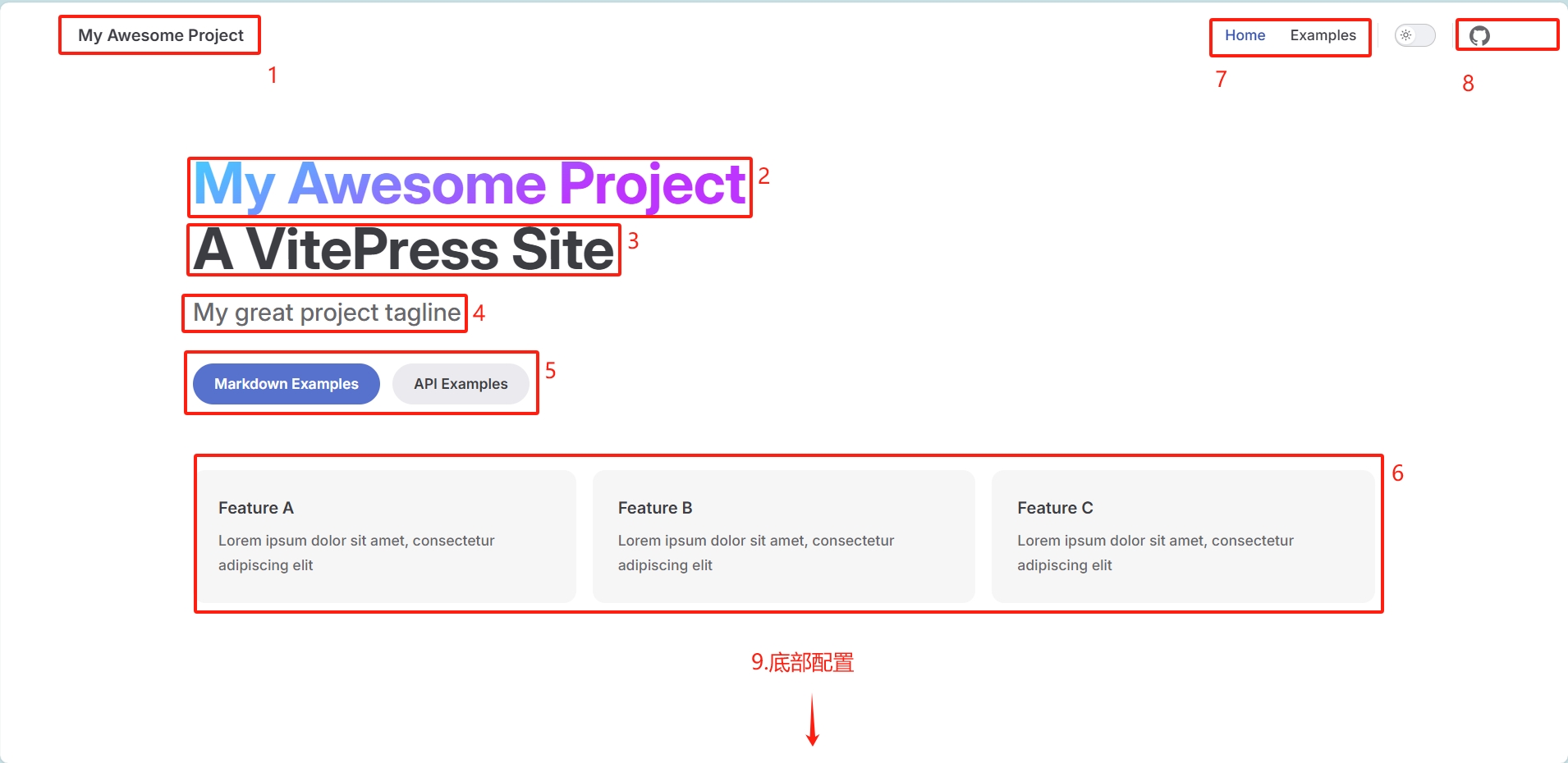

在项目中的.vitepress/config.mjs中配置
export default defineConfig({
    head: [["link", { rel: "icon", href: "/dose-demo/svg/logo.svg" }]],//网站logo
    title: '枫笙' //网站标题
})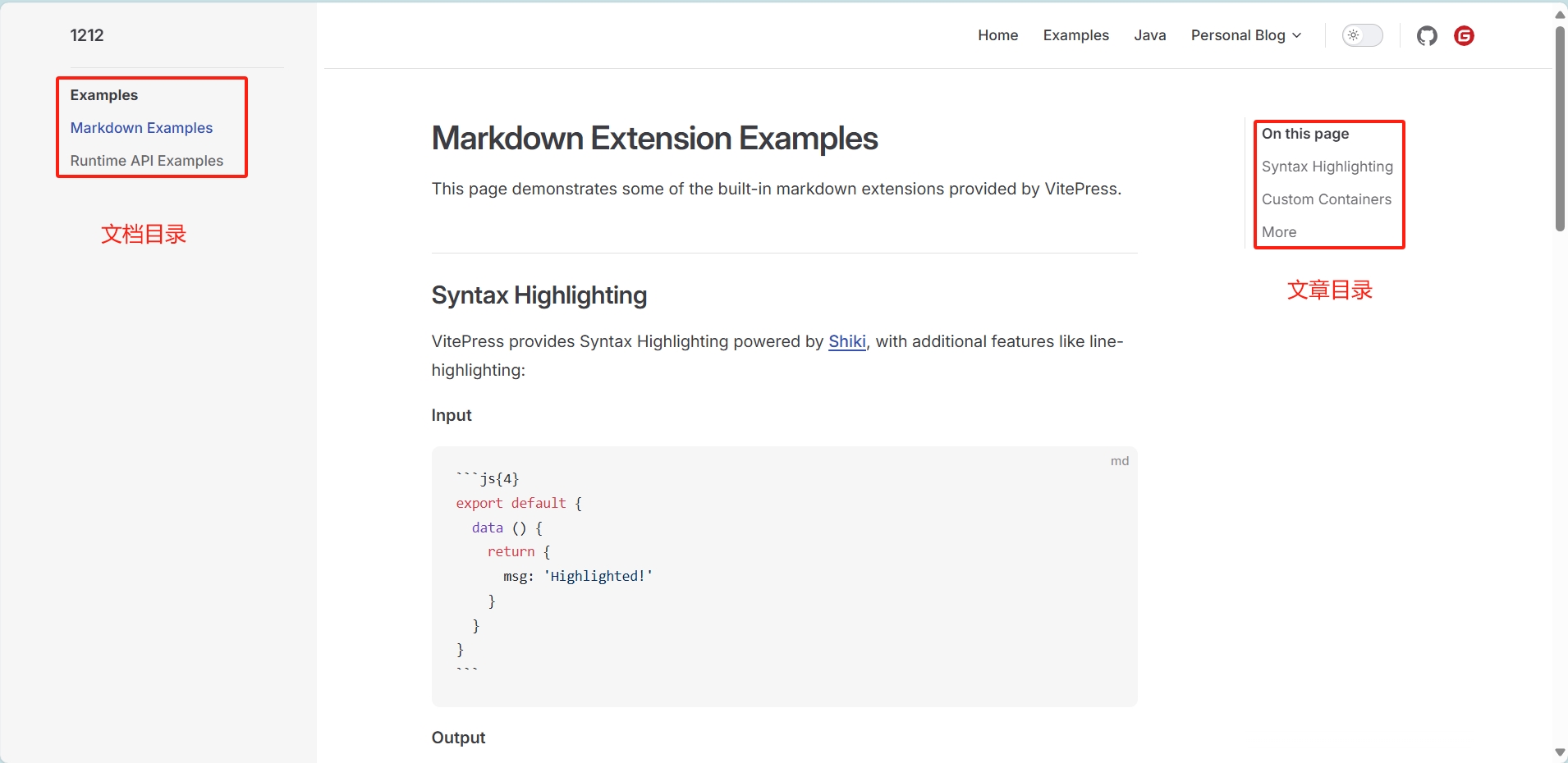
在项目中的.vitepress/config.mjs/sidebar中配置
这种配置访问哪个文档都会存在
export default defineConfig({
    themeConfig:{
        sidebar: [
            {
                text: 'Examples',   //文档目录名称
                items: [
                    { text: 'Markdown Examples', link: '/markdown-examples' },//text文档名称,link文档路径
                    { text: 'Runtime API Examples', link: '/api-examples' }
                ]
            }
        ],
    }
})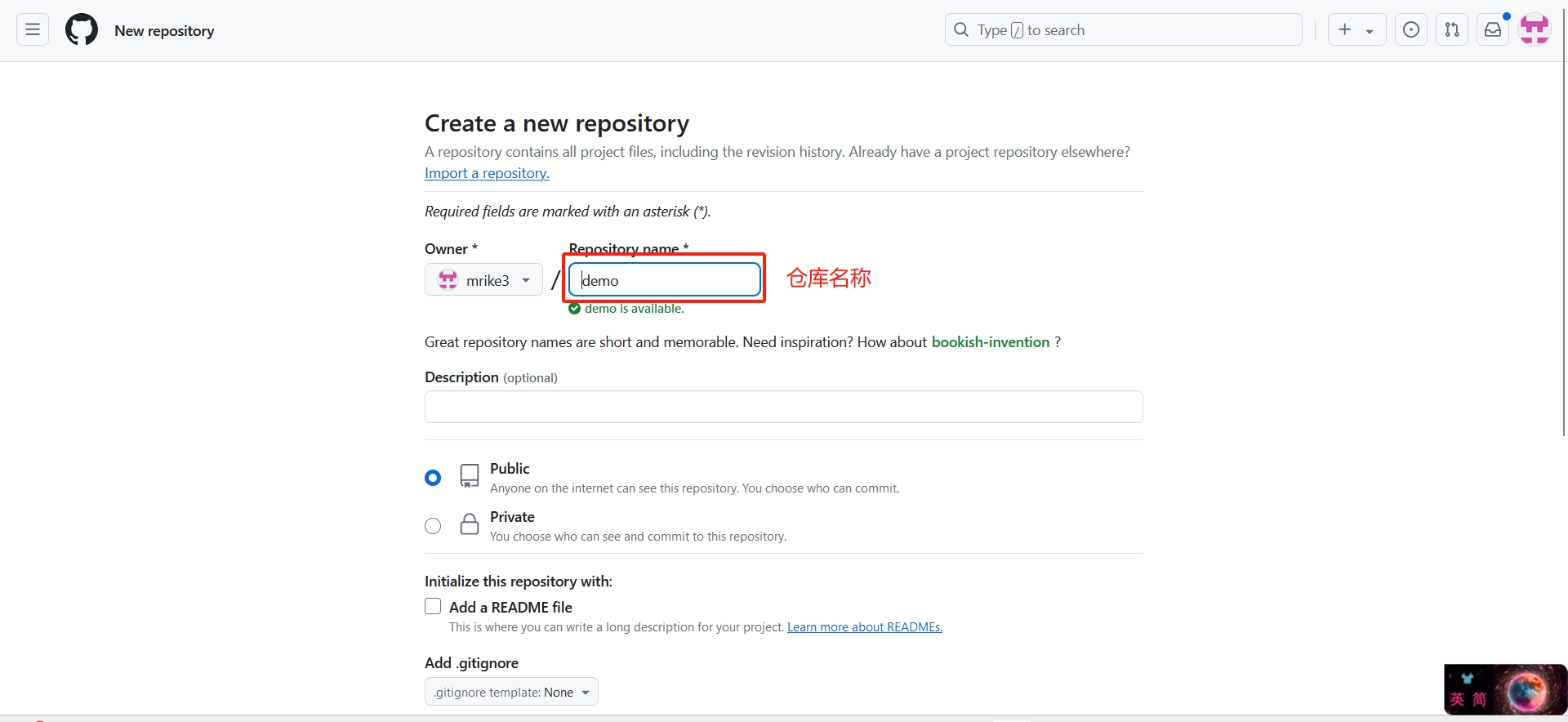
.vitepress/config.mjs中配置baseexport default defineConfig({
base:'/demo/',//demo为仓库名
})